
Download NoteLab – Simple Writing Tool, Mouse-Only Input, Quick Reminders, Productivity Utility
Overview
NoteLab is a focused writing tool designed for users who prioritize speed, simplicity, and precision in their note-taking process. The application’s core purpose is to enable quick and efficient documentation of ideas, reminders, and thoughts through a mouse- or graphic tablet-driven interface. By restricting input to a mouse or stylus, NoteLab eliminates the complexity of keyboard-based entry, offering a streamlined experience that emphasizes direct expression. This approach is particularly beneficial for individuals who prefer tactile writing, such as artists, planners, or professionals managing daily tasks and creative workflows.
The app targets users seeking a distraction-free environment for capturing information without the clutter of traditional note-taking apps. Its design supports real-world use cases including task tracking, brainstorming sessions, sketching diagrams, and drafting quick reminders. The emphasis on minimalism makes it suitable for both casual users and those engaged in structured productivity routines. Although the developer did not provide additional background, the app’s longevity—first released in 2010—suggests a stable, well-tested foundation. NoteLab holds a niche position in the mobile and desktop utility ecosystem by offering a unique input-focused experience that differentiates it from standard digital notebooks.
Key Features & Functionality
- Mouse-Only Input: NoteLab operates exclusively with a mouse or graphic tablet, simulating the natural flow of handwriting. This restriction eliminates keyboard distractions and encourages a fluid, intuitive writing experience, ideal for users who value tactile interaction.
- Multiple Save Formats: Notes can be exported in PNG, JPEG, SVG, or SVGZ formats, providing flexibility for use across different platforms and applications. Vector formats like SVG and SVGZ are especially useful for high-quality scaling in presentations or documents.
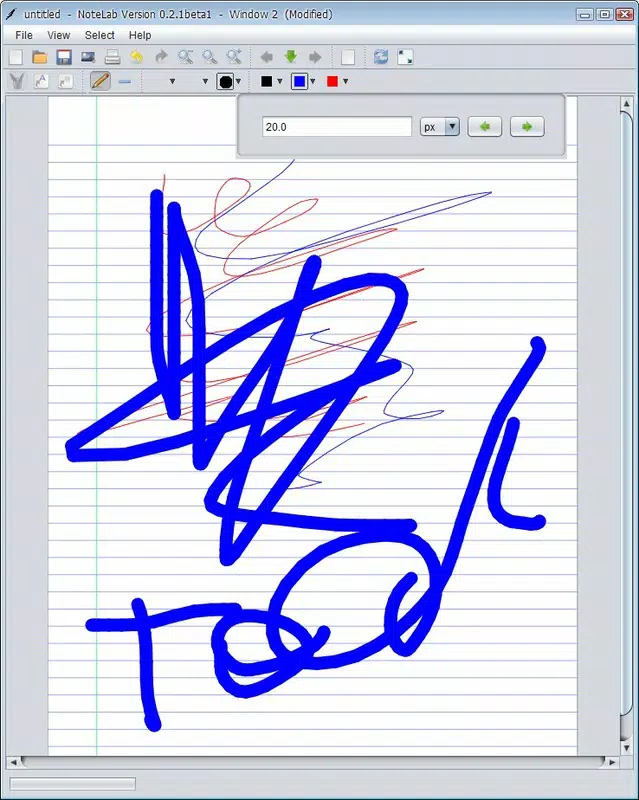
- Simple Editing Tools: The built-in editor includes essential tools such as line thickness adjustment, color selection, and basic shape drawing. These tools are designed to be accessible without overwhelming the user, supporting efficient note creation and minor revisions.
- Quick Reminders: The app’s minimal interface allows users to capture thoughts or tasks in seconds, making it ideal for time-sensitive note-taking scenarios such as meeting notes or spontaneous ideas.
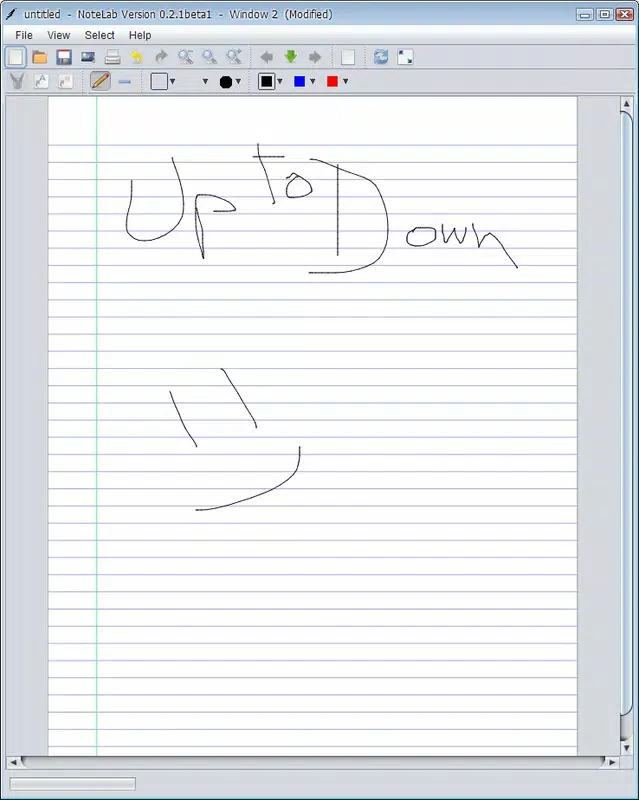
- Virtual Page Experience: Interacting with a digital canvas mimics the feel of writing on paper, fostering creativity and spontaneity. This environment supports freeform expression, adapting to individual writing styles and preferences.
For example, a designer might use NoteLab to sketch layout ideas on a tablet, then export them as SVG files for integration into design software. A student could jot down lecture highlights during class and save them as PNGs for later review. The app’s focus on speed and format versatility enhances its practicality across diverse workflows.
Interface, UX & Performance
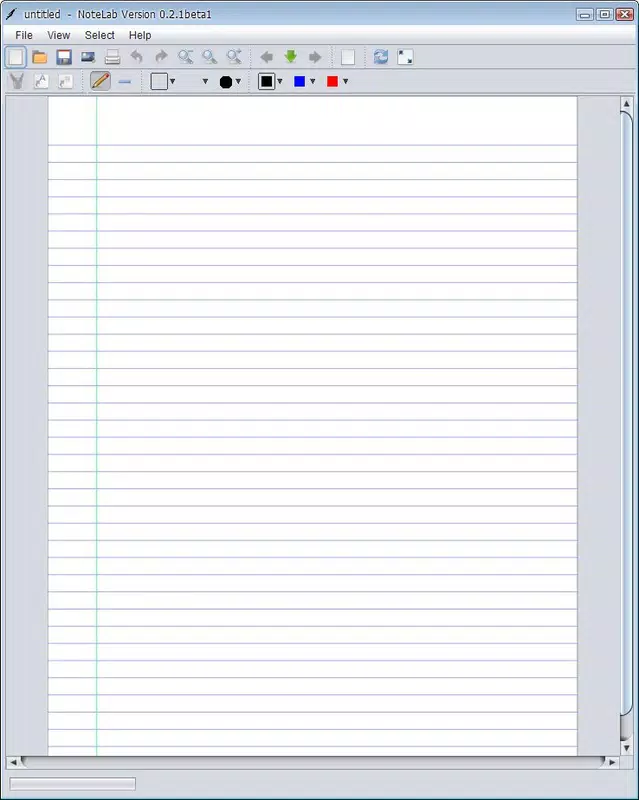
NoteLab features a clean, minimalist interface centered around a virtual page canvas. The layout prioritizes the writing surface, with tools and options presented in a compact, unobtrusive manner. Navigation is straightforward, relying on intuitive mouse gestures and menu access, which supports ease of use across different user skill levels. The design avoids visual clutter, allowing users to maintain focus on the content being created.
Although the developer did not list formal performance metrics, the app’s long-standing presence suggests a stable and responsive operation. Users can expect consistent performance on devices with standard processing capabilities, particularly those supporting mouse or stylus input. Responsiveness is likely optimized for direct input, minimizing lag during writing or drawing.
Stability appears reliable, given the app’s age and consistent functionality over time. The interface adapts well to different screen sizes, though specific compatibility details were not disclosed. Overall, the UX is tailored to a single-purpose workflow, enhancing efficiency without sacrificing usability.
Platform Compatibility & Technical Requirements
NoteLab is available on the specified platform, though the exact operating system was not listed. The software version is provided, and the file size is known, but minimum OS requirements were not disclosed. Compatibility information was not fully disclosed, so users should verify system compatibility before installation.
The app’s file size is suitable for quick downloads and storage, making it accessible even on devices with limited space. Specific device requirements were not listed, and no information was provided about support for iOS or Android. Users are advised to consult official sources for detailed compatibility details.
Pros and Cons
Pros
- Exclusive mouse or tablet input enhances focus and reduces distractions.
- Supports multiple export formats including vector (SVG, SVGZ) for high-quality reuse.
- Minimalist interface promotes quick and intuitive note-taking.
- Stable performance over time with a long release history.
- Perfect for creating quick reminders and spontaneous ideas.
Cons
- Input restricted to mouse or tablet—no keyboard support.
- Developer did not provide detailed system requirements or compatibility.
- Limited editing capabilities compared to full-featured note apps.
- No mention of cloud sync or cross-device access.
- App age may affect modern OS support without updates.
FAQ
Is NoteLab available for iOS and Android?
The developer did not specify platform availability beyond the primary platform. Users should check official sources for current compatibility.
Can I use a keyboard to write in NoteLab?
No. NoteLab is designed for mouse or graphic tablet input only. Keyboard usage is not supported.
What file formats can I export my notes in?
Notes can be saved in PNG, JPEG, SVG, and SVGZ formats, offering both raster and vector options.
Is NoteLab free to download and use?
The app’s pricing model was not specified. Users should refer to official channels for current pricing and licensing details.
How often is NoteLab updated?
Release date information was provided (2010-09-27), but update frequency was not disclosed. The app’s long history suggests stability, but recent updates are uncertain.
Final Thoughts
NoteLab stands out as a specialized tool for users who value a distraction-free, tactile writing experience. Its mouse-only input and support for multiple export formats make it a practical choice for creatives, students, and professionals managing quick ideas and reminders. While it lacks modern features like cloud sync or multi-platform access, its minimalist design and focus on core functionality deliver a reliable and efficient workflow. The app’s longevity reflects its enduring relevance in a niche but important category of digital note-taking utilities. For anyone seeking a secure, lightweight, and focused writing tool, NoteLab offers a compelling solution.
Download NoteLab now


